

- Reject requests that are missing required metadata or headers
- Validate a JWT and pass its claims downstream as headers and metadata
- Restrict which endpoints a key, workspace, or organization can call
- Strip or rewrite headers before the request is routed
Where Start Hooks Run
- The gateway authenticates the API key and resolves the request’s config, along with the start hooks inherited from the organization and workspace.
- Start hooks run. If any hook with
deny: truefails, the request stops here. No input guardrail runs and no provider is called. - If the start hooks pass, the request continues to input guardrails, the provider, and output guardrails as usual. Any header or metadata changes made by the start hooks are applied to the request first.
Start hooks run after authentication, so the gateway already knows which organization and workspace the request belongs to. They are not a replacement for API key authentication.
What a Start Hook Can See
Start hooks run before the request body is processed, so a check sees:
Use input guardrails for anything that needs to read the prompt.
Supported Checks
Not every guardrail check can run as a start hook, and the Guardrails page does not filter the check list for you. When you create a guardrail you intend to use as a start hook, pick only the checks in this table.Header Check
Compares request headers with the key-value pairs you list. Header names are matched case-insensitively. Use* as a value to match any value, so the check tests only whether the header is present.
x-portkey-debug: false. Use it to stop clients from turning off request logging.
The check result lists the names of the headers that matched and didn’t match, never their values, so secrets in headers don’t end up in logs.
Header Transform
Rewrites headers before the request is routed. It never denies a request.Header Transform changes the headers the gateway sends upstream. It can’t make the provider act on them. A provider is free to ignore any header it doesn’t recognize, and the headers a transform sets or removes usually don’t appear in the response JSON. To confirm a transform ran, look at the
headerTransform check in hook_results.start_hooks or in the request log, which list the names of the headers removed and set.Required Metadata Keys
Checks the request’s metadata keys.Allowed Request Types
Controls which endpoints can be called. ProvideallowedTypes, blockedTypes, or both. If a type appears in both lists the check returns an error. With neither, all request types are allowed.
supported_endpoints and blocked_endpoints (comma-separated) from the request metadata instead.
Request types a start hook recognizes
A start hook matches the endpoint the client called, based on the request path:
A request to any other path is matched by its path, for example
/v1/models. In a start hook, files, batches, finetune, and modelResponse each cover every operation on that endpoint family, so blockedTypes: ["files"] blocks uploads, listing, retrieval, and deletion alike.
Using it as an input guardrail
Allowed Request Types also runs as an input guardrail, with these differences:- It sees the gateway’s internal request type for the call, not the original path. When the gateway adapts a request for a provider, the type can change. For example, a
/v1/messagesrequest sent to a provider without a native Messages API is handled aschatComplete. - The family names
files,batches,finetune, andmodelResponseare not recognized. List the specific operation, such asuploadFileorcreateBatch.
Other input guardrails run only on
chatComplete, complete, embed, messages, createBatch, createFinetune, createModelResponse, and decisions requests. Allowed Request Types is exempt from this restriction so that it can act on any endpoint. Start hooks have no such restriction.JWT
Start hooks are the only place JWT validation can do more than pass or fail. WhenextractClaims is set and the token is valid, the gateway writes those claims into the request:
- As headers, named
claimPrefixplus the claim name (defaultx-jwt-, for examplex-jwt-sub) - As metadata, named
metadataPrefixplus the claim name (default: no prefix, for examplesub)
Create a Start Hook
There is no separate “start hook” guardrail type on the Guardrails page. A start hook is a regular guardrail that you attach to the start stage. (Creating a guardrail from Admin Settings > Organisation Guardrails > Start Hooks does limit the check list to compatible checks.)- Go to Guardrails and click Create.
- Enter a name and choose LLM APIs as the target. The target can’t be changed after the guardrail is created.
- Add one or more checks from the supported checks list and configure their parameters.
- On the Actions tab, choose the guardrail actions, described under Deny, Soft Deny, and Log Only. If the guardrail uses Header Transform, turn on Execute guardrails sequentially.
- Save the guardrail.
Example: Block Clients from Turning Off Request Logging
This example blocks every request in a workspace that sendsx-portkey-debug: false, so clients can’t opt out of request logging.
-
Open Guardrails and click Create.
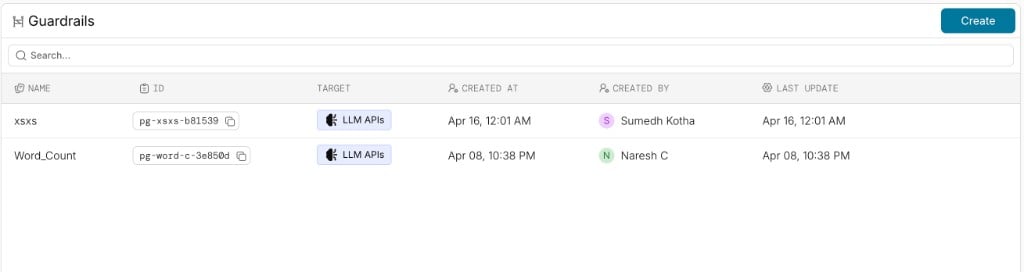
-
In the Add Guardrail dialog, enter the name
block-debug-opt-out, keep LLM APIs selected as the target, and click Continue.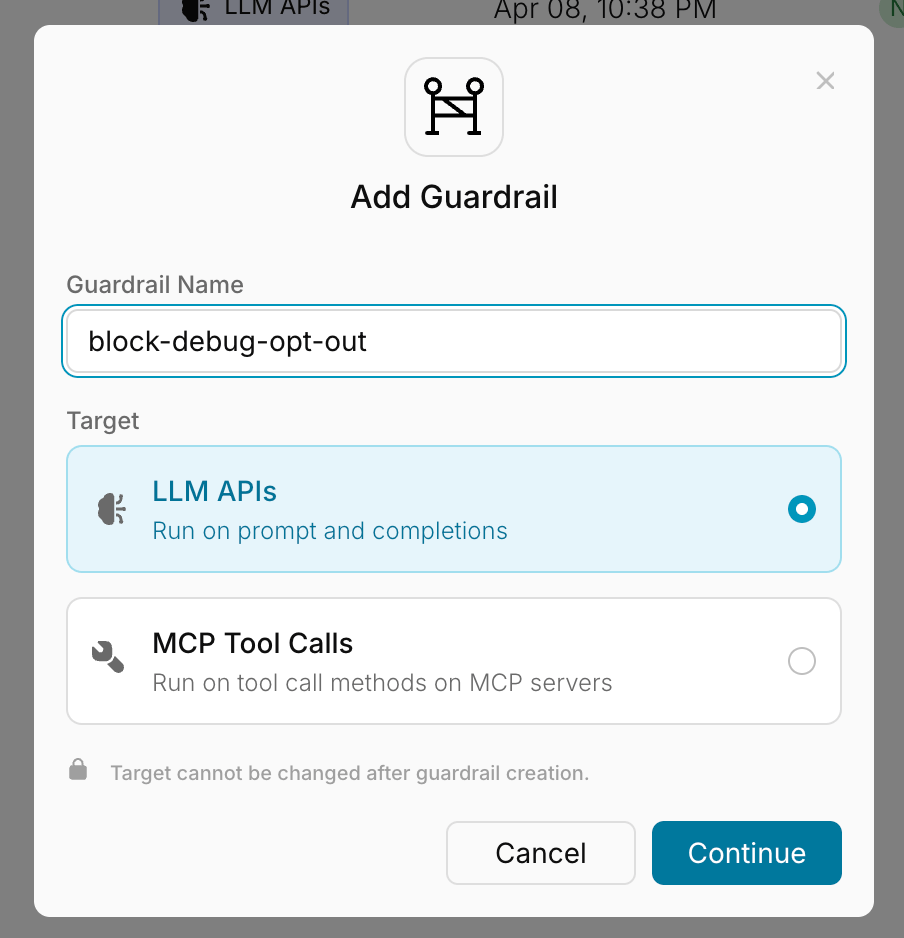
-
Under Available Checks, search for
headerand click Add on Header Check.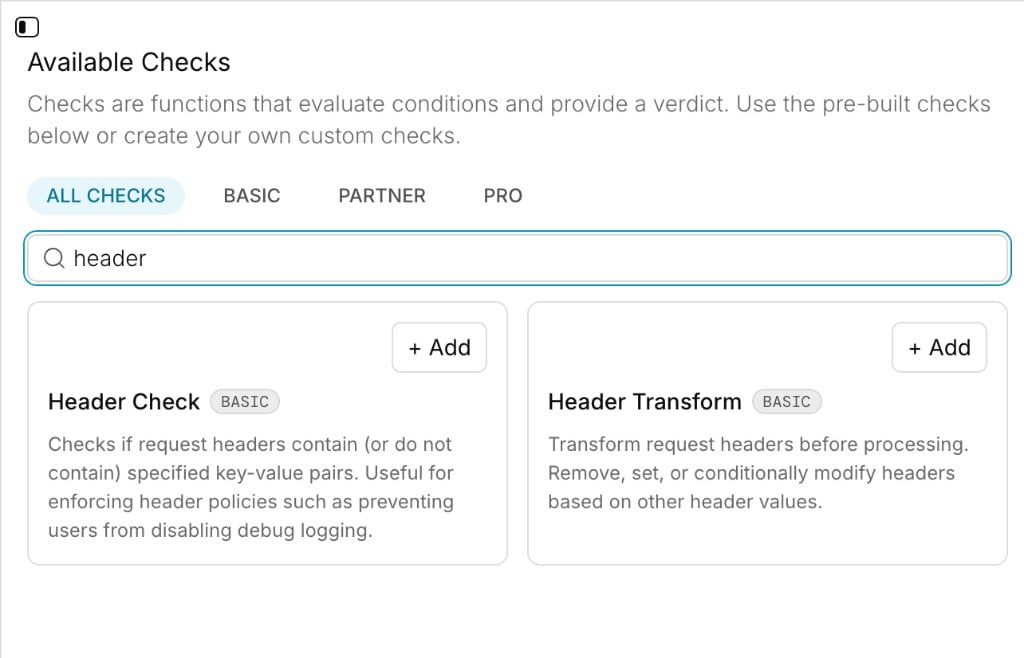
-
Set Operator to
noneand Header Key-Value Pairs to{"x-portkey-debug": "false"}, then click Save. Withnone, the check fails when the request sends any of the listed pairs.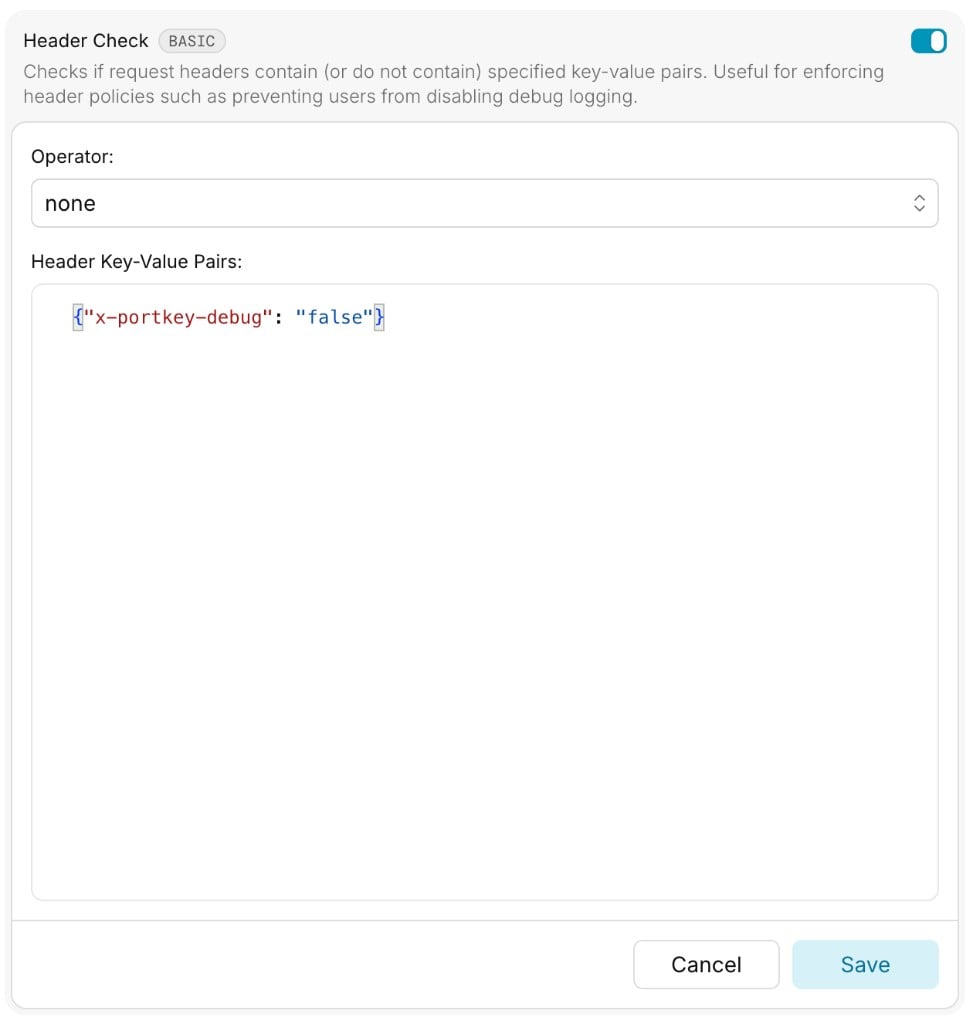
-
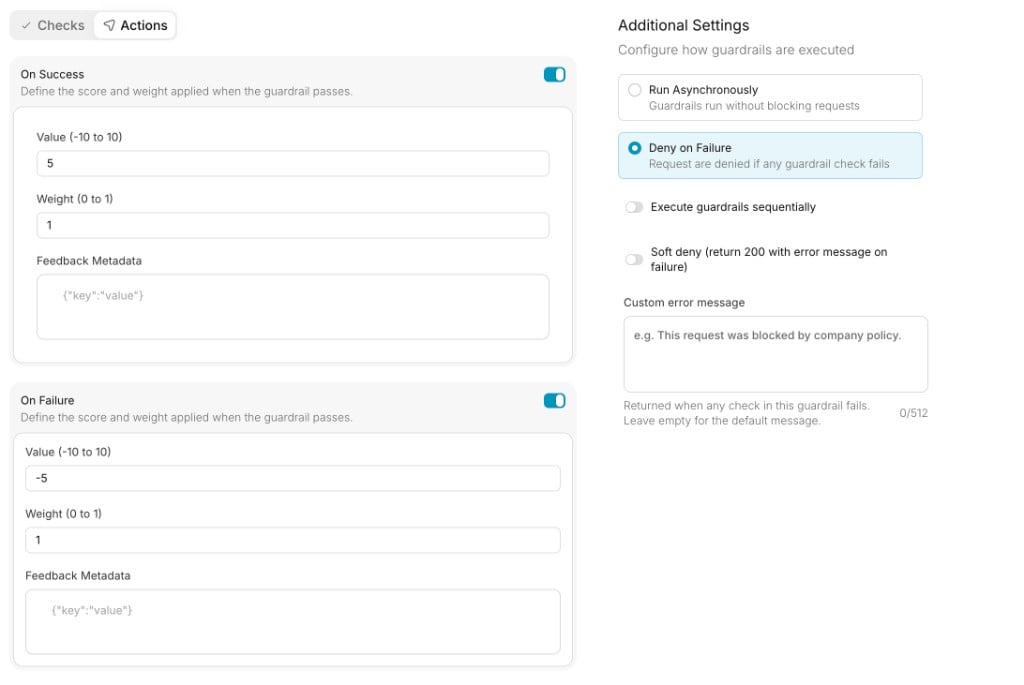
Switch to the Actions tab and select Deny on Failure under Additional Settings, then save the guardrail. The On Success and On Failure feedback settings on the left are optional and don’t affect whether the request is blocked.
-
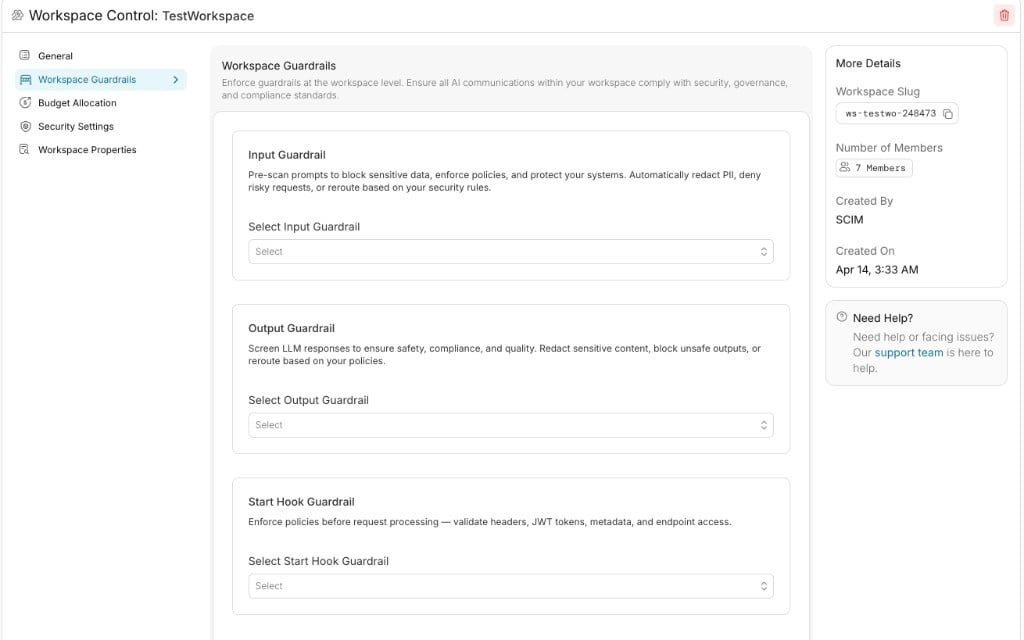
Open your workspace’s settings and go to Workspace Guardrails. The page has three sections: Input Guardrail, Output Guardrail, and Start Hook Guardrail.
-
Under Start Hook Guardrail, open Select Start Hook Guardrail and choose
block-debug-opt-out.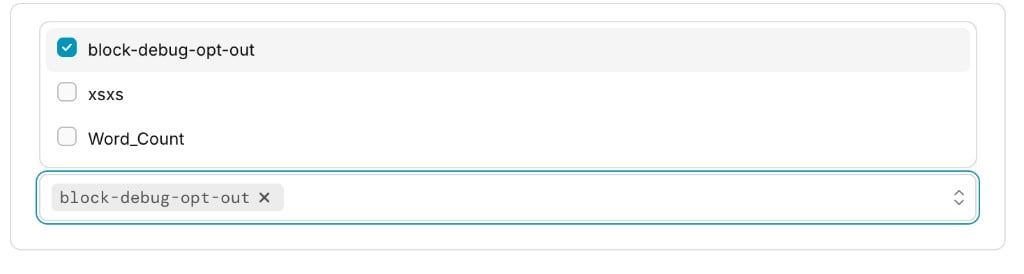
-
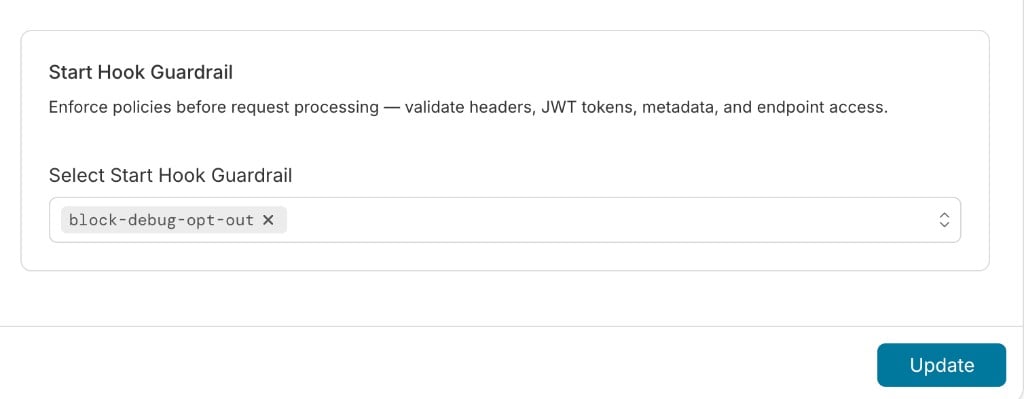
Click Update to save.
-
Send a request with the
x-portkey-debug: falseheader. It returns446and never reaches the provider. The response lists the check that failed and the header that matched. A request that doesn’t send the header, or sendsx-portkey-debug: true, goes through.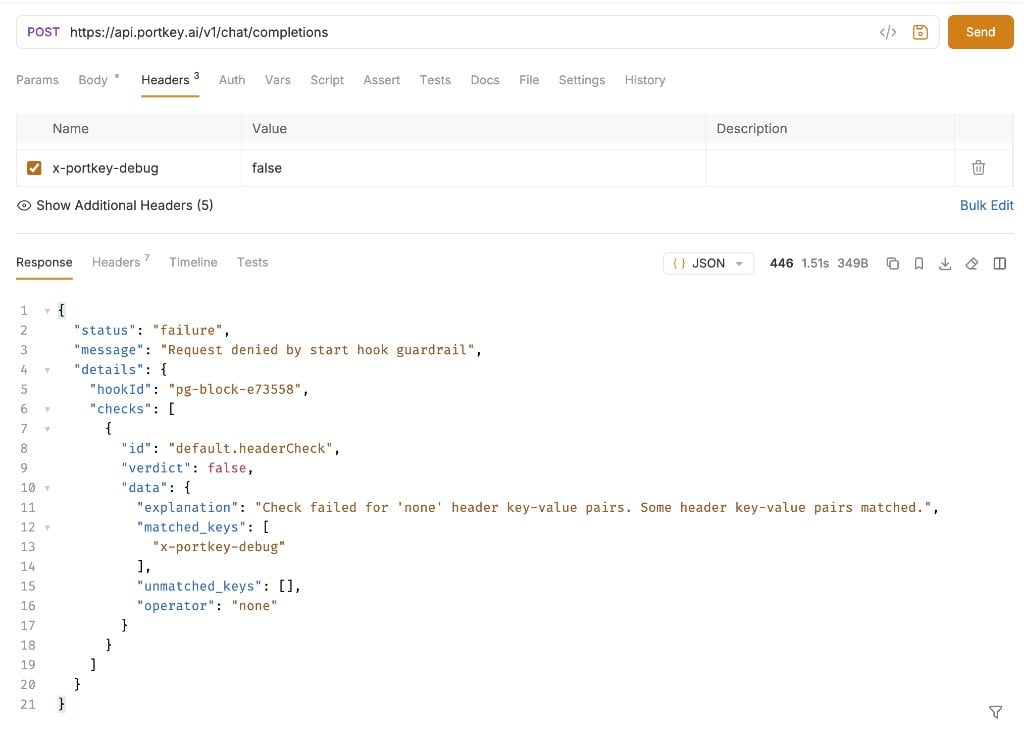
Attach a Start Hook in a Config
Add the guardrail’s ID tostart_hooks in a config:
before_request_hooks: deny, soft_deny_200, async, on_fail, and on_success.
Define a Start Hook Inline
You can also send the full hook definition in thex-portkey-config header, without creating a guardrail first. This is useful for testing:
x-team header is blocked before it reaches the provider.
Deny, Soft Deny, and Log Only
What happens when a start hook fails depends on its actions.Unlike a failed input guardrail with
deny: false, a failed start hook does not change the response status to 246. The request continues with its usual status and you can read the failure from hook_results.start_hooks.Hard Deny (446)
message is the guardrail’s custom error message if you set one (up to 512 characters). Otherwise it is Request denied by start hook guardrail.
This error body is different from the one returned for a failed input guardrail, which uses an
error object and hook_results. If your client already parses 446 responses from input guardrails, handle the start hook shape too.Soft Deny (200)
With soft_deny_200: true, the client gets a 200 response shaped like a normal response for the endpoint. For chat completions, the assistant message contains the guardrail’s custom error message, or the default guardrail failure message if none is set, and the guardrail results are included in hook_results. For streaming requests the gateway sends a well-formed event stream, so client SDKs don’t fail while parsing it.
Use soft deny when a client can’t handle a non-2xx status.
Log Only
Withdeny: false, the hook never blocks. Use it to watch for violations before you start enforcing them.
Async Start Hooks
Withasync: true, the hook runs after the response has been sent and cannot affect the request. Use it for logging and auditing. Header and metadata changes from async hooks are not applied.
Reading Results
Start hook results are reported separately from the other hook types:- In responses, under
hook_results.start_hooks, next tobefore_request_hooksandafter_request_hooks - In logs, on the Feedback & Guardrails tab of the log drawer, recorded with the
startHookevent type
On streaming requests, set the
x-portkey-strict-open-ai-compliance header to false to receive hook_results in the stream. See Guardrails for details.How Hooks Combine
- Multiple hooks: Every start hook runs, and the request is blocked if any hook with
deny: truefails. - Multiple checks in one hook: The checks run in parallel by default, and the hook passes only if all of them pass. To make later checks see the changes of earlier ones, such as a Header Check that verifies a Header Transform, define the hook with
"sequential": true. - Header and metadata changes: Changes from Header Transform and JWT claim extraction are applied only if the request is allowed to continue.
Handling Check Errors
If a check can’t complete, for example a webhook times out or a JWT can’t be verified, the error is recorded in the check result. By default a check that errors does not block the request. For checks that enforce a policy, setfailOnError to true in the check’s parameters so an error counts as a failure:
deny: true blocks the request instead of silently letting it through.
Related
Enforcing Policies with Start Hooks
Apply start hooks to every request in a workspace or organization
Guardrails
Input and output guardrails, actions, and response structure