

Available on all Portkey plans.
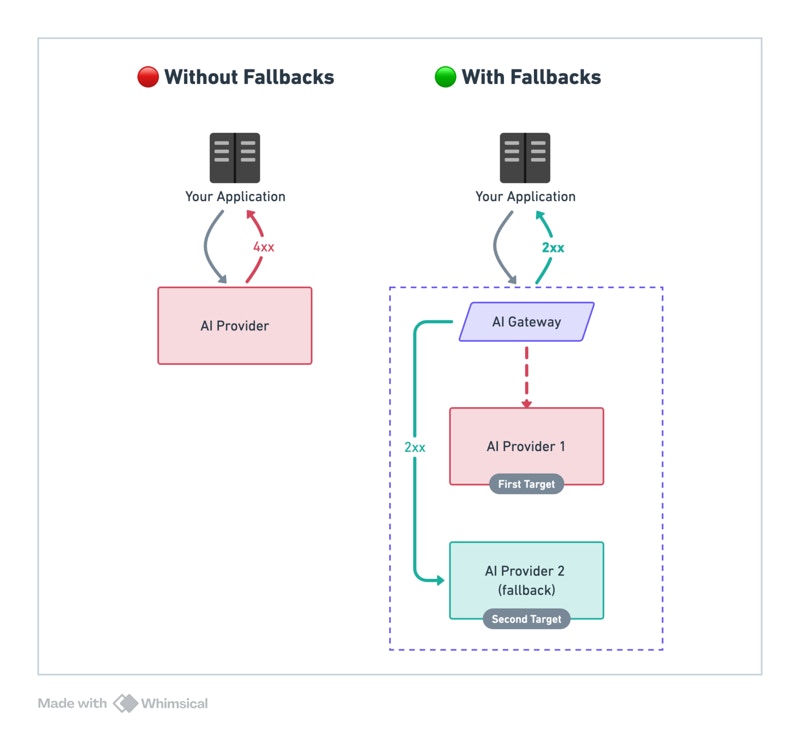
Examples
The
@provider-slug/model-name format automatically routes to the correct provider. Set up providers in Model Catalog.Trigger on Specific Status Codes
By default, fallback triggers on any non-2xx status code. Customize withon_status_codes:
Tracing Fallback Requests
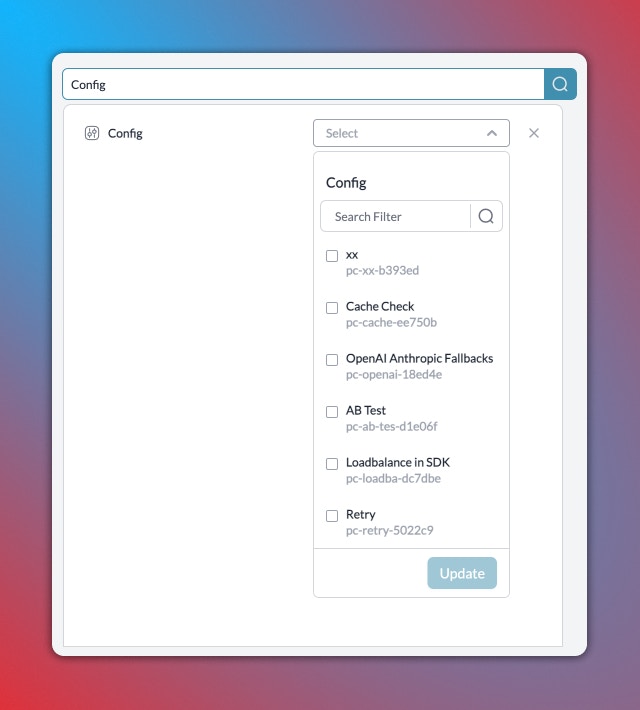
Portkey logs all requests in a fallback chain. To trace:- Filter logs by
Config IDto see all requests using that config - Filter by
Trace IDto see all attempts for a single request
Combine with Other Strategies
Fallback targets are fully composable — each target can be a load balancer, a conditional router, or another fallback. Any strategy can nest inside any other.Fallback When the Whole Cluster Goes Down
The primary target is a load balancer cluster. Individual endpoint failures stay within the cluster — only a full provider outage triggers the cross-model backup.
Smart Failover by Request Context
When the primary fails, a conditional router picks the best backup based on request context — keeping EU users on EU infrastructure even during outages.
Isolate Failures Between Model Families
Give each load-balanced slot its own independent fallback chain. One model family failing doesn’t trigger another family’s backup.
All Patterns Together
See a complete config combining conditional routing, load balancing, and fallbacks across four model families.
Considerations
- Ensure fallback LLMs are compatible with your use case
- A single request may invoke multiple LLMs
- Each LLM has different latency and pricing
Portkey is now PRISMA AIRS AI Gateway. See it in action.
Contact Us